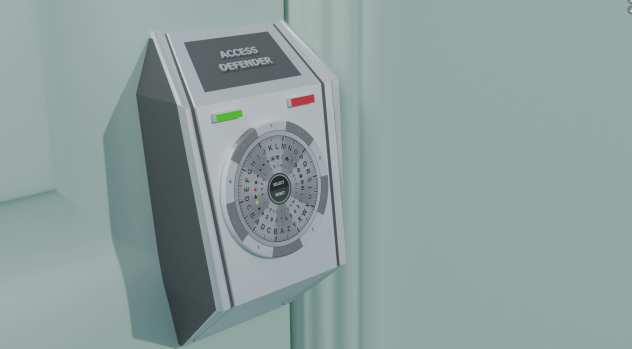
Access Defender

A ingenious Patented replacement for user authentication.

Easy to use

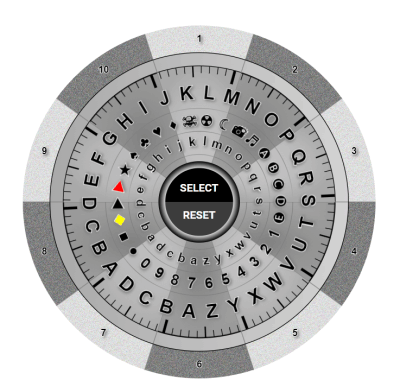
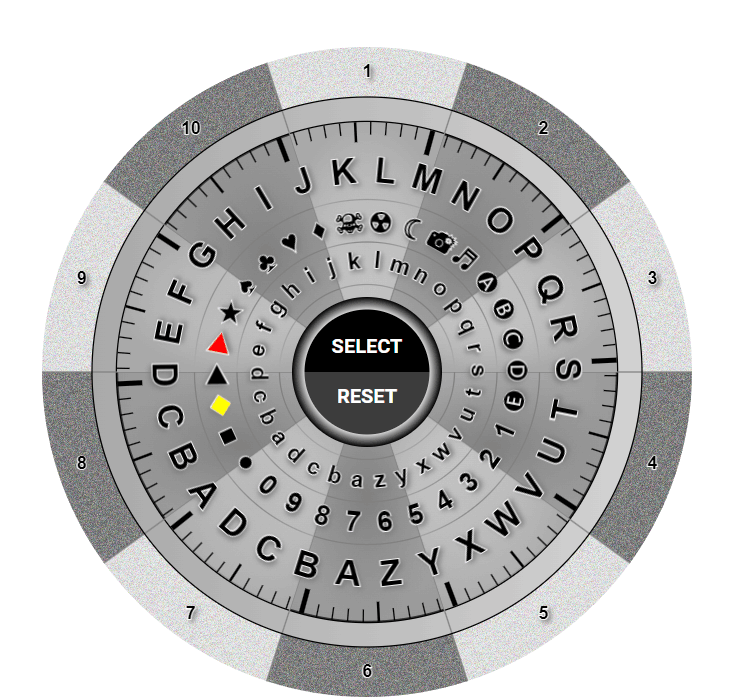
You simply in your mind pick a section (1-10) as shown above, and like a safe dial turn it so the letters in your password rest in the section you are thinking of.

Only you know what you are thinking of, that information is never entered which is key in proving your authentication.

Enhanced Security:
Access Defender significantly mitigates the risk of credential theft by eliminating password transmission, thereby protecting against interception, hacking, and recording. This enhancement bolsters the overall security posture for both individuals and organizations.
Why is it better than existing authentication ?

No password to protect

It offers superior security as no password is ever entered, leaving nothing to steal or copy. You log in by demonstrating knowledge of the password without ever actually entering it. This represents a revolutionary shift in authentication technology and is the only way to ensure truly secure authentication.

Storage & transmission

By never storing, encrypting, or encoding passwords and never transmitting authentication details over the internet, Access Defender prevents all known methods of credential theft and authentication hacking. This includes protection against interception, decryption, man-in-the-middle attacks, tempest attacks, and forensic gathering techniques like Wireshark.

Mind's eye authenitcation

If your password exists solely in your mind, there is nothing for a hacker to steal! Consequently, your only risk would be from those who can read minds.

Benefits:

1

Enhanced Security


By eliminating the transmission of passwords, Access Defender mitigates the risk of credential theft through interception, hacking, or recording. This enhances overall security posture for individuals and organisations.
2

Unbreakable Authentication


Access Defender's authentication code does not contain a breakable password, making it a robust and secure solution for protecting user credentials.

3

Innovative Approach

Access Defender's implication-based authentication represents a paradigm shift in how authentication technologies operate. By focusing on implication rather than encryption, the technology offers a novel and secure way to verify user identities.

Top 26 Authentication Risks VS Access Defender

Description

Using software or hardware to record keystrokes to capture passwords. 

Points

  • As you never actually type your password in it can never be stolen.

Description

Trying all possible combinations until the correct password is found. 

Points

  • It takes about 5-10 seconds to enter your password, and you get longer and longer authentication delays the more you fail to authorize, so this method would not work on Access Defender.

Description

Using a list of common passwords and variations to guess the password.

Points

  • You don’t send a plain text password so there is no word to attack.

Description

Using breached username/password pairs from other sites. 

Points

  • This would not be possible as your password can’t be stolen so it cannot be on password sites.

Top 26 Authentication Risks VS Access Defender

Description

Intercepting communication between the user and the server. 

Points

  • As its random data sent from the server and a random set of strings passed back, even if they had the data they could not use it, the next login would be all different data.

Description

Infecting a device to capture passwords or bypass authentication. 

Points

  • There is no password for malware to steal.

Description

Trying a few common passwords across many accounts to avoid detection. 

Points

  • You will never be sent a common password, and changing the password to a specific one would report any simple password or one that could be used in a dictionary attack.

Description

Using precomputed hash tables to reverse-engineer passwords. 

Points

  • The passwords are not in plain text or hashed, there is no hash to reverse-engineer.

Top 26 Authentication Risks VS Access Defender

Description

Observing someone entering their password. 

Points

  • This is impossible as you never indicate/type/enter your password.

Description

Capturing network traffic to find unencrypted passwords. 

Points

  • There is no passwords encrypted or in plain text transmitted.

Description

Capturing and reusing a valid data transmission. 

Points

  • The data sent each time is totally random, impossible to play back.

Description

Setting up a fake Wi-Fi access point to intercept user credentials. 

Points

  • This would not work as all they would see is random data going one way and random data going back the other.

Top 26 Authentication Risks VS Access Defender

Description

Accessing RAM after a system shutdown to retrieve encryption keys or passwords. 

Points

  • As the password is not entered, or encrypted there is nothing in RAM to access.

Description

Using information from physical hardware (like power consumption) to deduce passwords. 

Points

  • If you grab all the data in and out, there is no way to reconstruct the password.

Description

Gaining control of a user's phone number to bypass two-factor authentication. 

Points

  • There is no need for 2FA with Access Defender.

Description

Exploiting weaknesses in file permissions to access stored passwords.

Points

  •  The passwords are never stored on the client to steal.

Top 26 Authentication Risks VS Access Defender

Description

Planting malware via infected USB drives.

Points

  • There is no file/password/hash/code/encryption to steal or break.

Description

Using a plug in hidden hardware device that emulates a keyboard or a mouse to steal authentication information.

Points

  • There is nothing to steal, therefore this would not work. 

Description

Employees or contractors cannot steal the passwords as there is no password to steal.

Points

  • There is nothing to see or copy to steal.

Description

Monitoring clipboard data for copied passwords.

Points

  •  Passwords are never entered so this would not work.

Top 26 Authentication Risks VS Access Defender

Description

Using software like John the Ripper or Hashcat to crack passwords.

Points

  •  Not possible no Hash's are ever created.

Description

Guessing or researching answers to security questions. 

Points

  • Access Defender replaces this vulnerable way of authentication

Description

Using malicious QR codes to direct users to fake login pages. 

Points

  • Being redirected to a non Access Defender authentication server would fail, as the server would not know how to initiate or process the data required for authentication

Description

Setting up fake websites with URLs similar to legitimate ones to capture passwords. 

Points

  • Would not work as they do not have the authenticating server and more importantly the data within it.

See it in action on www.Cryptaphone.com

Contact us